With FastSIGN, the processing of signature processes is much faster, as there is no need to set the signature fields, a sequence and a deadline. Thus, FastSIGN enables quick and easy creation and dispatch of the processes.
Specifically, the signature is displayed on an extra page at the end of the document. All other functionalities are retained.
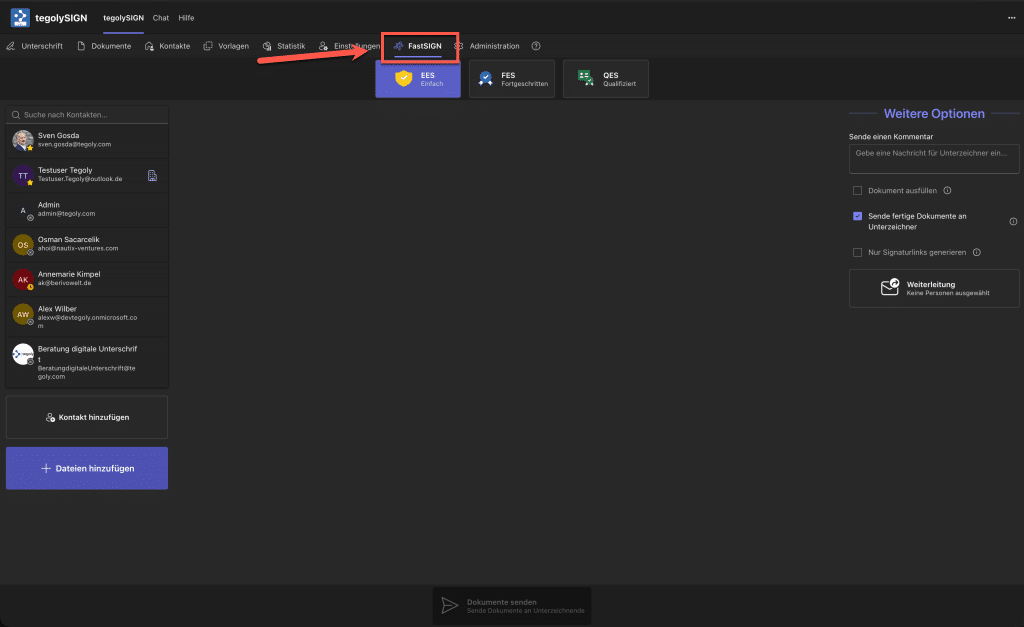
Using FastSIGN #
In this video, we show you how to use FastSIGN. It’s very simple:
- Select document(s)
- Select signers
- Select signature level
- Optional: Select “More options”
- Send
FastSIGN for designs #
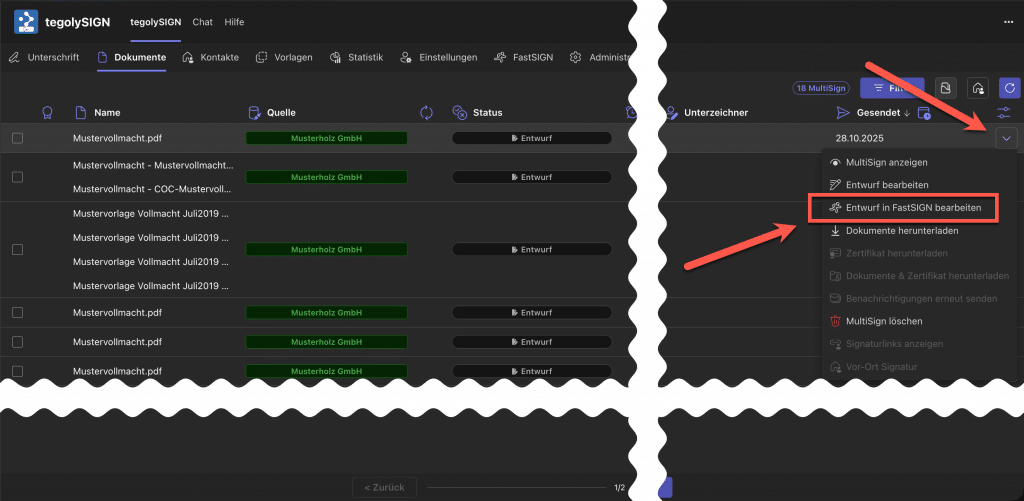
FastSIGN can also be used directly from the document list. To do this, take a draft and go to the document menu as shown in the image and select Edit draft in FastSIGN . Then the view switches to FastSIGN and the documents can be edited as above in the video.