In this chapter, we will show you how to connect tegolySIGN with DATEV. It is aimed at IT administrators.
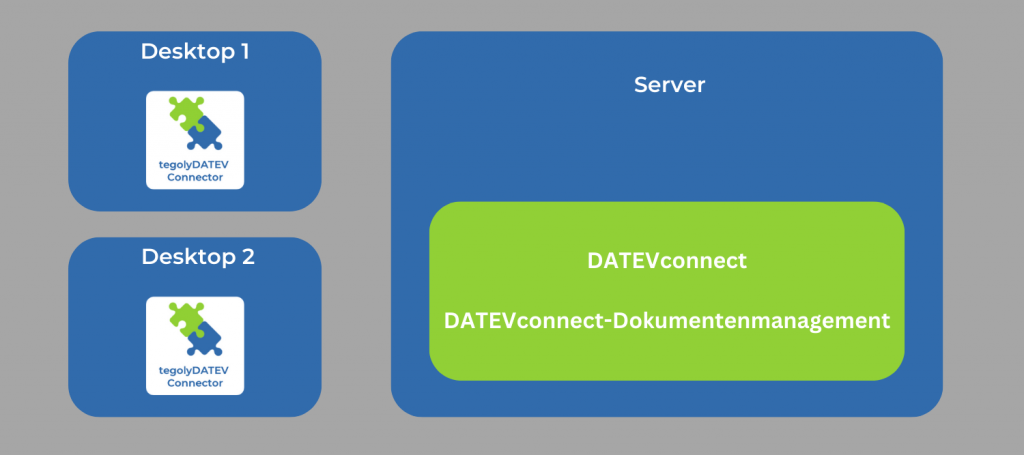
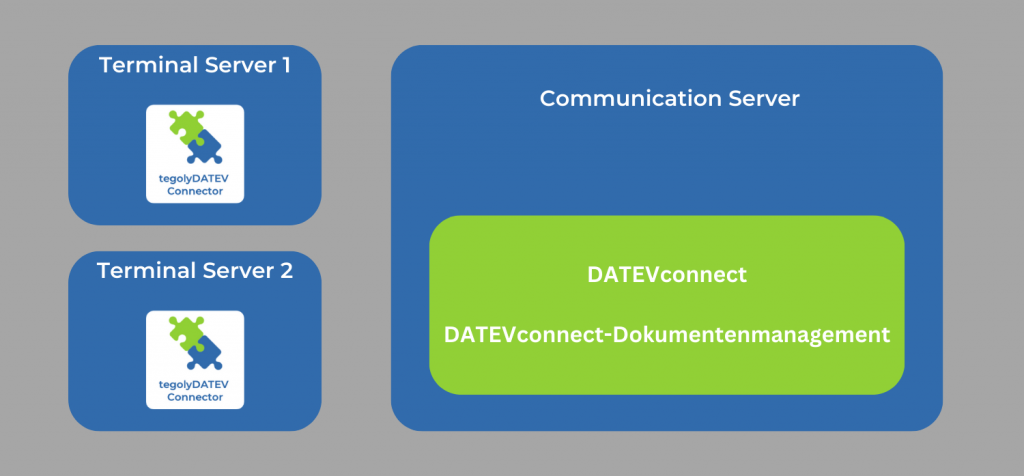
First of all, you need to know what form of installation your tax advisor uses. We have outlined three possible forms of installation.
Prerequisites
The following software components are required for the integrated signature process with DATEV-DMS and tegolySIGN:
- If Microsoft Teams is to be used, then there must be a Microsoft 365 Business Basic and higher.
- DATEV-DMS (from version 13.12 and higher) or DATEV document storage
- DATEVConnect (item no. 95280)
- DATEVConnect Document Management (Item No. 63218)
- tegolySIGN
- tegolySIGN DATEV Connector (version 1.0 or higher). Here is the download: tegolyDATEV Connector
- Please select your DATEV installation scenario and follow the further instructions:
One or more terminal servers and a communication server.
One or more terminal servers.

One or more desktop PCs with a central server.