Sign with EES #
Here we show you how to sign a document.
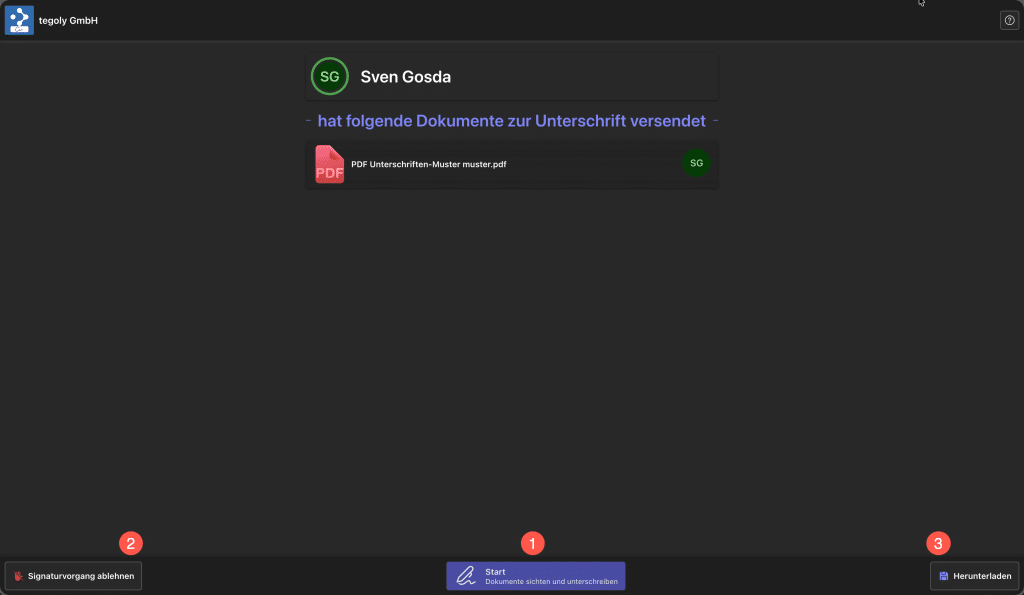
Go to Start and the document will be previewed. There is also the option to reject the signature process 2 and the documents can also be downloaded 3.
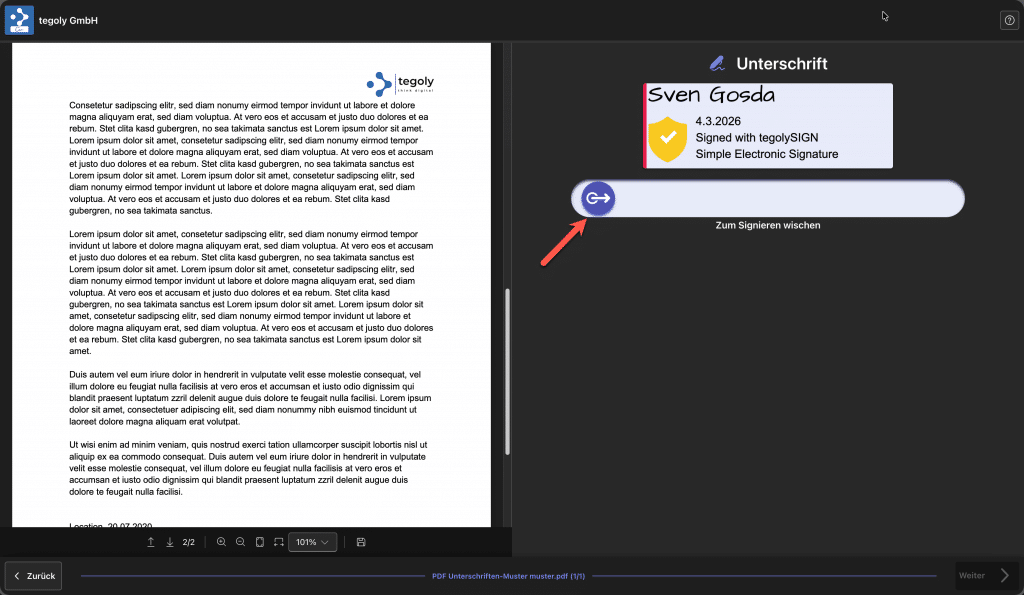
The “Swipe to sign” slider confirms the signature. Optionally, it may be necessary to enter a handwritten signature (see video). If there are several fields to fill in or signatures to be made, the software automatically jumps on.
Video for handwritten signature (optional).
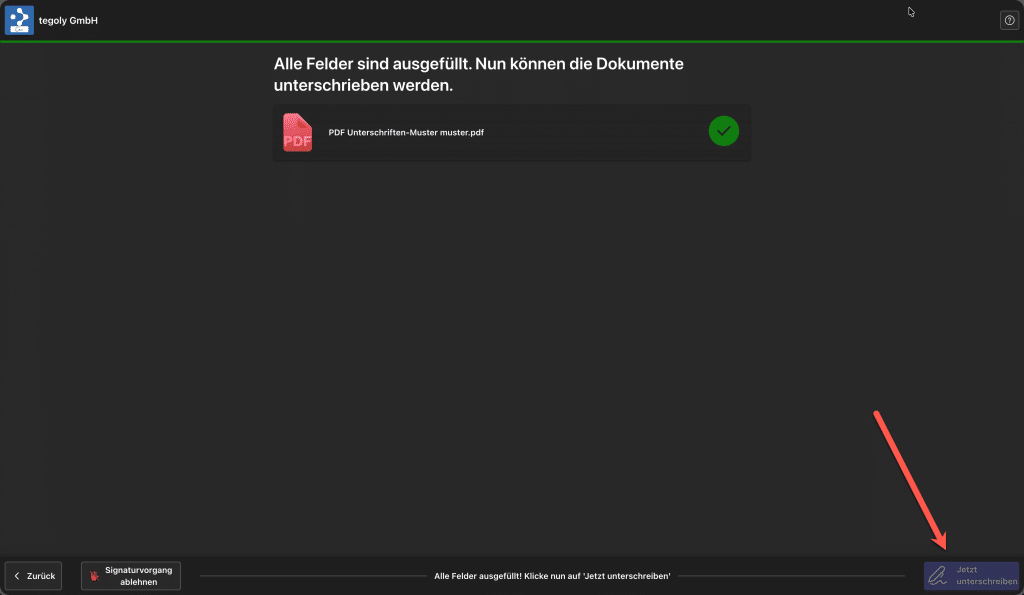
In the last step, the signature process can be rejected or finally signed using the Sign Now button at the bottom right.
Sign with FES #
If you receive a document with an advanced FES signature, we will send you a 6-digit SMS pin. Please enter this in the field and then the documents can be signed as described above.