Skip to content
tegolySIGN
Home tegoly Support German

First steps

1
  • How do I log in to tegolySIGN

tegolyDATEV Connector Installation

6
  • Installation tegolyDATEV Connector
  • Configuring the tegolyDATEV Connector
  • Terminal server
  • Multiple Terminal Servers
  • Desktop
  • Buy and set up DATEVconnect

Start here!

1
  • Step-by-step instructions (system house)

DATEV Installation

8
  • Installation tegolyDATEV Connector
  • Configuring the tegolyDATEV Connector
  • Terminal server
  • Multiple Terminal Servers
  • Desktop
  • tegolySIGN App Release
  • Install tegolyDATEV Connector
  • How do I log in to tegolySIGN
  • Home
  • Docs
  • IT Support
  • IT Support
  • tegolySIGN
  • DATEV Installation
  • Terminal server
View Categories

Terminal server

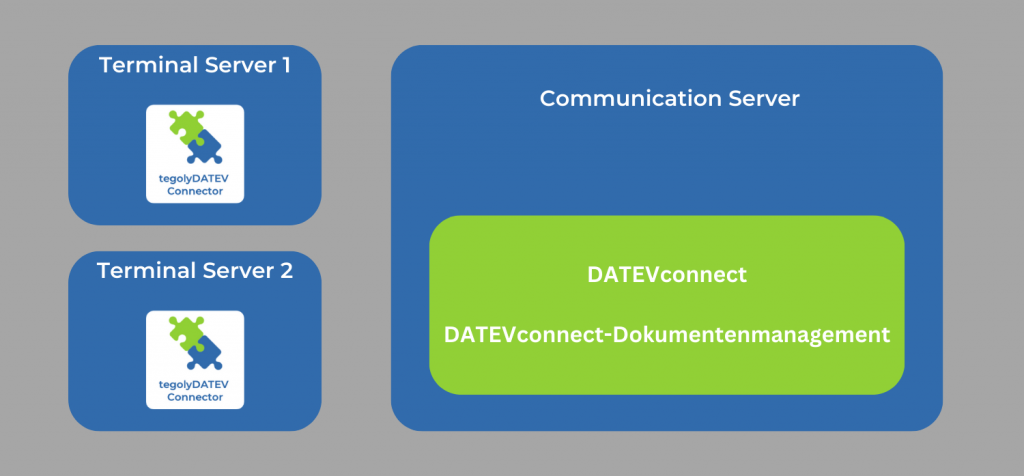
In this variant, there is one or more terminal servers and a communication server.

  1. In this case, the tegolyDATEV Connector must be installed on each terminal server.
  2. Then install the connector on each of the corresponding terminal servers.
  3. The following directory must be given write permissions for all users: C:/tegoly.

Click here for the settings for the tegolyDATEV Connector.

Hat Dir dieser Artikel geholfen?
Configuring the tegolyDATEV ConnectorMultiple Terminal Servers
tegolySIGN

© 2026 tegolySIGN