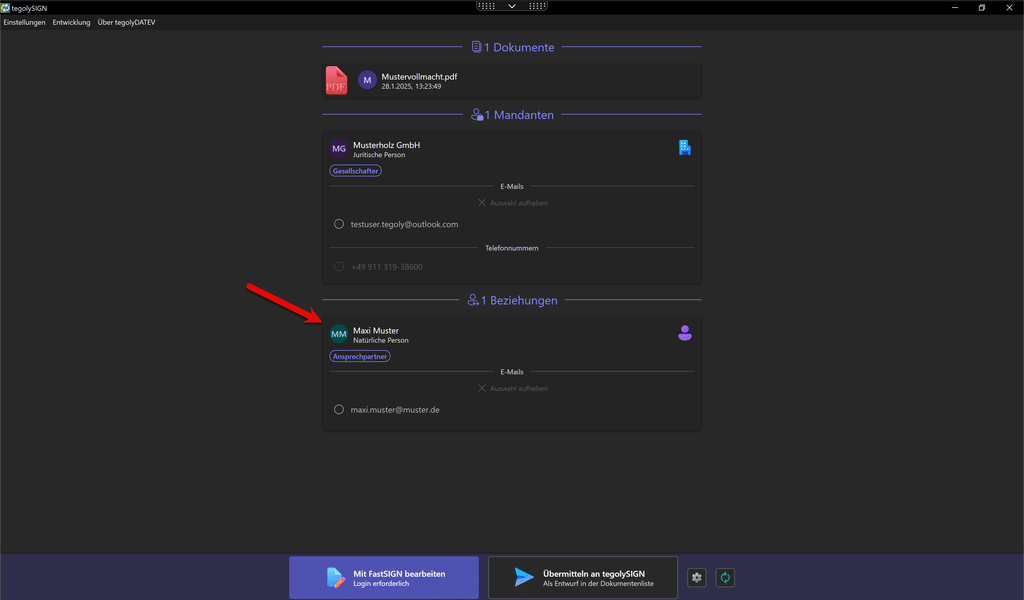
In order for tegolyDATEV to transfer the master data of a client, it must be created as follows.
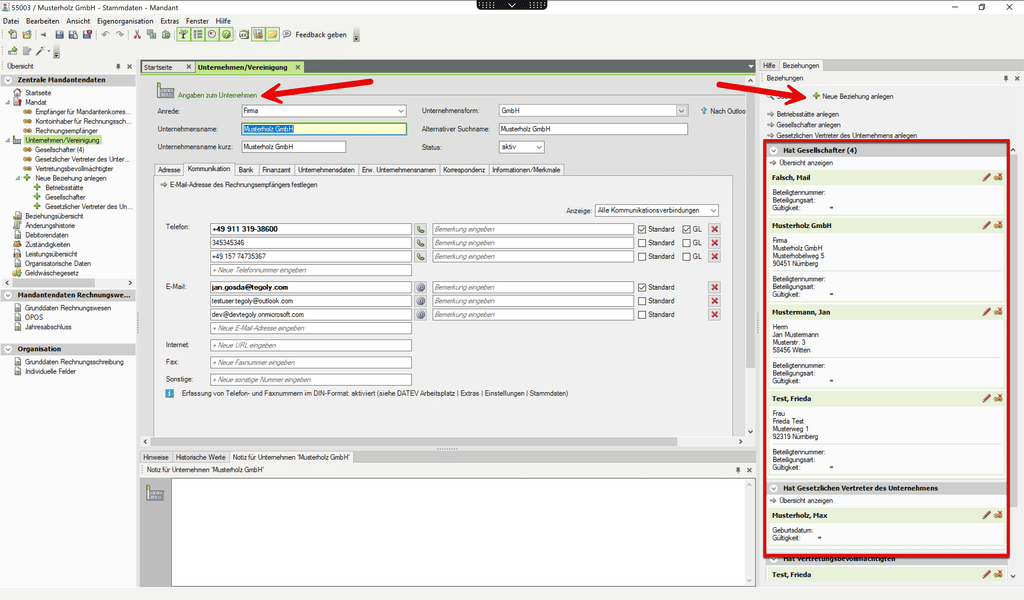
If a company is to contain several people, they must be created via relationships. To do this, go to “Create new relationship” on the left.
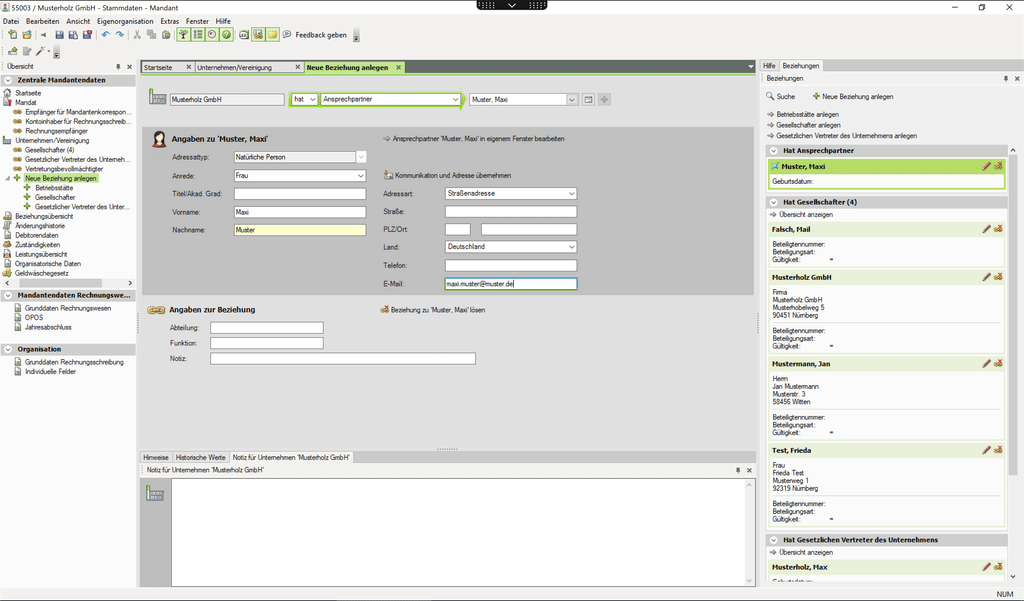
In the new window, the person can then be created.
In tegolyDATEV, the newly created person appears as a relationship and can be selected.