Skip to content
tegolySIGN
Home tegoly Support German

First steps

1
  • How do I log in to tegolySIGN

tegolyDATEV Connector Installation

5
  • Installation tegolyDATEV Connector
  • Configuring the tegolyDATEV Connector
  • Terminal server
  • Multiple Terminal Servers
  • Desktop

Start here!

1
  • Step-by-step instructions (system house)

DATEV Installation

7
  • Installation tegolyDATEV Connector
  • Configuring the tegolyDATEV Connector
  • Terminal server
  • Multiple Terminal Servers
  • Desktop
  • Install tegolyDATEV Connector
  • How do I log in to tegolySIGN
  • Home
  • Docs
  • IT Support
  • tegolySIGN
  • DATEV Installation
  • Multiple Terminal Servers
View Categories

Multiple Terminal Servers

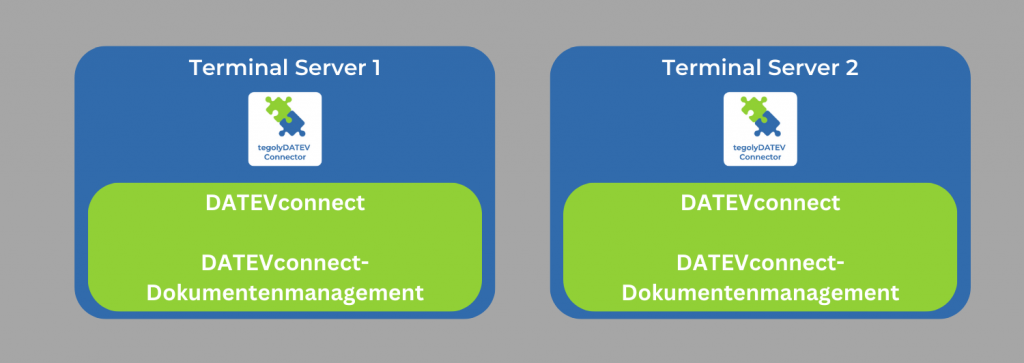
In this variant, there are one or more terminal servers on which DATEVconnet and DATEVconnect document management run.

  1. Install the tegolyDATEV Connector on each terminal server. Click here for the installation instructions.
  2. Configure connect the connector to each of the terminal servers.

Click here for the settings for the tegolyDATEV Connector.

Hat Dir dieser Artikel geholfen?
tegolySIGN

© 2025 tegolySIGN